
Photo by Campaign Creators on Unsplash
Microsoft Features: DSPM for AI
Estimated Reading Time: 6 minutes
Welcome back to my DSPM for AI blog series! In my previous blog I provided an overview of how your organization can safeguard AI activity with DSPM for AI. However, we haven’t yet addressed one very important data security risk – oversharing!
In this blog, I’ll show you how DSPM for AI can help organizations to identify and mitigate oversharing risks using Data Risk Assessments.
For those interested, here are links to the other blogs in my DSPM for AI series (links will become available as the blogs are published):
- An Introduction to Data Security Posture Management for AI
- Getting Started with Data Security Posture Management for AI
- Understanding Your Organization’s AI Activity with DSPM for AI
- Safeguarding AI Activity with DSPM for AI
- Identifying and Mitigating Oversharing Risks with DSPM for AI
What is Oversharing and Why Should Your Organization Be Concerned?
Put simply, oversharing occurs when data is shared with more people or for longer than needed. There are countless potential causes that can lead to oversharing in Microsoft 365, such as not implementing effective retention controls, misusing overly permissive sharing links, and not protecting data with sensitivity labels. Although this data security risk was around long before the era of AI, this risk is now amplified as large volumes of data are consumed and processed by AI tools.
When sensitive data is overshared, it can lead to major data breaches, regulatory non-compliance, and reputational damage. The presence of AI in our day-to-day work not only makes it easier for malicious actors to access overshared information, but also duplicate and propagate it with malicious intent. It also increases the likelihood that good-willed users will inadvertently access and propagate overshared data – a problem that can have the same negative consequences on the business. For this reason, identifying and mitigating oversharing risks has become a major point of discussion for organizations in the face of rapid AI adoption.
DSPM for AI Data Risk Assessments
Data risk assessments in DSPM for AI help administrators to identify files across the top 100 SharePoint sites that contain sensitive data, are shared using overly broad permissions, and do not have a sensitivity label applied. There are 2 types of data risk assessments in DSPM for AI: built-in and custom.
Built-In Data Risk Assessments
The built-in data risk assessments in DSPM for AI are run on a weekly basis against the top 100 SharePoint sites in your organization, based on how many times they are accessed by users. From my current testing of the tool, I’ve found that the built-in assessments begin to run when the data risk assessments page is accessed for the current week (note: this functionality is still in preview).
Here is what the built-in data risk assessment results look like:

As you can see above, data risk assessments provide the following insights:
- Total items
- Total items accessed
- Times users accessed items
- Unique users accessing items
- Total sensitive items
- Total scanned items
- Total unscanned items
- Items shared with
- Sensitivity labels on data
By clicking on a specific site in the data assessment results list, admins can view more detailed information that may be relevant to identifying and mitigating oversharing risks for each site, including:
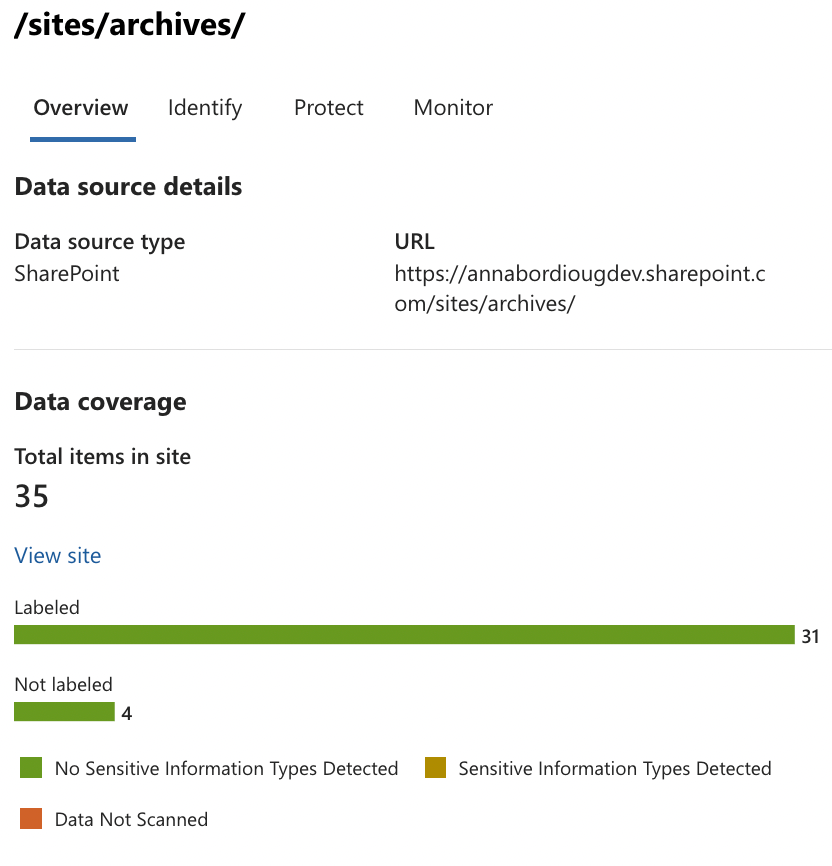
- An overview of the labeled and sensitive data stored in the site
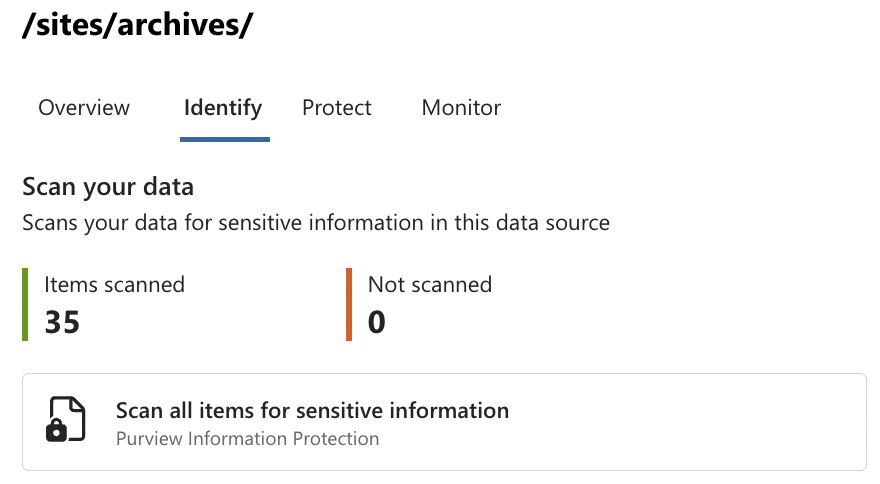
- Number of items scanned and not scanned, with a prompt to run an on-demand classification scan (learn more about this preview feature here)
- Recommendations for protecting your data including restricting Copilot from accessing sensitive data, restricting discovery of content, setting a default sensitivity label for document libraries, assigning default sensitivity labels for all documents, creating auto-labeling policies for sensitive information, applying a sensitivity label to the site to control sharing settings, and creating retention policies to retain and delete unused data.

- Insights into the site access data collected and recommendations to run a SharePoint site access review as well as an Entra access review to identify over-permissioned users.

Custom Data Risk Assessments
Custom data risk assessments are initiated by administrators to collect oversharing information for specific users and sites. The insights collected by custom assessments are very similar to the built-in data risk assessment runs.
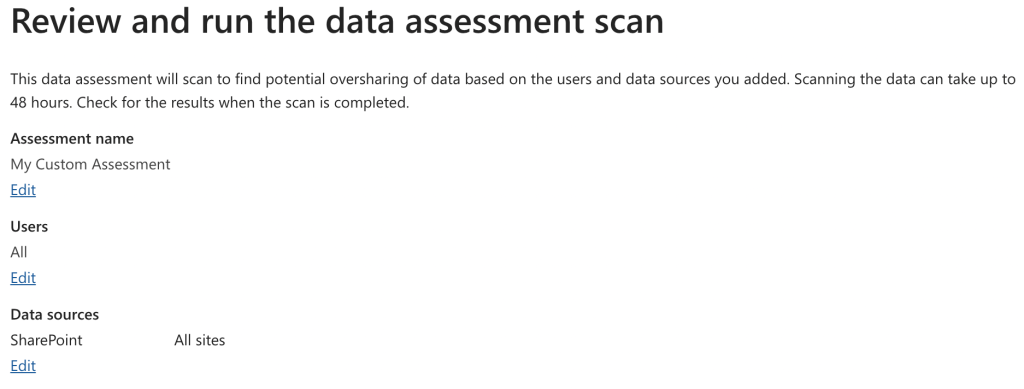
To create a custom data risk assessment, administrators should:
1. Click on +Create assessment

2. Name and describe the assessment

3. Select users to include in the assessment

4. Select sites to include in the scope of the assessment

5. Review and run the data risk assessment scan
Making the Most of These Insights
Here are some tips for ensuring that the insights generated by the DSPM for AI data risk assessments have a positive impact on the oversharing state in an organization:
- Review the built-in data risk assessment results on a weekly basis
- Create custom data risk assessments to tailor insights to high priority users and sites
- Evaluate the oversharing remediation recommendations provided and implement as needed to address high risk oversharing scenarios
- Combine these insights with the results of other oversharing assessments including SharePoint site permissions and access review, Microsoft Graph Data Connect, and SharePoint Advanced Management data access governance.
Closing Thoughts
Oversharing is an important aspect of data security that organizations must address to responsibly deploy generative AI solutions such as Copilot for Microsoft 365. DSPM for AI data assessments is a new capability, currently in preview, that can help organizations dig into sensitive and overshared data to identify and prioritize oversharing scenarios for mitigation.
This concludes my DSPM for AI blog series. If you have any questions or feedback, please feel free to reach out!
 Anna Bordioug