
Photo by Pawel Czerwinski on Unsplash
Microsoft Features: DSPM for AI
Estimated Reading Time: 4 minutes
Welcome back to my DSPM for AI blog series! In my previous blog I provided an overview of how your organization can better understand users’ AI activities. Based on the insights collected from monitoring policies and surfaced in DSPM for AI, organizations can start to identify high priority data security risks they would like to address.
In this blog, I’ll show you how DSPM for AI can help organizations to establish common AI data security policies as well as provide insight into custom security policies deployed across Purview.
For those interested, here are links to the other blogs in my DSPM for AI series (links will become available as the blogs are published):
- An Introduction to Data Security Posture Management for AI
- Getting Started with Data Security Posture Management for AI
- Understanding Your Organization’s AI Activity with DSPM for AI
- Safeguarding AI Activity with DSPM for AI
DSPM for AI Recommendations
The Recommendations page in DSPM for AI provides policy and process recommendations that are tailored to the current state of your tenant. This includes recommendations for supporting data discovery efforts and implementing data security controls.
In my previous blog, I reviewed the data discovery recommendations that DSPM for AI provides. Here is a link to that blog in case you missed it. In this blog, I’ll focus on several types of recommendations for implementing data security controls: policy, process, and hybrid recommendations.
Policy Recommendations
Some of the policy-based data security recommendations that are provided include:
- Block elevated risk users from pasting or uploading sensitive info on AI sites
- Configure sensitivity labels
- Protect sensitive data referenced in Microsoft Purview (preview)
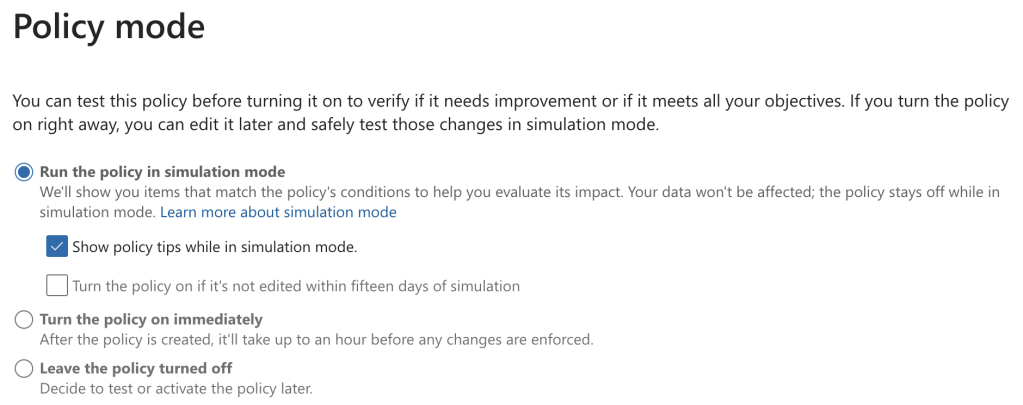
Policy recommendation #1 creates a data loss prevention policy for endpoints that blocks elevated risk users (assigned by insider risk management and adaptive protection) from pasting / uploading sensitive information to AI apps via their browsers. As shown in the screenshot below, this policy is scoped to all users but is initially configured in test mode with policy tips enabled:
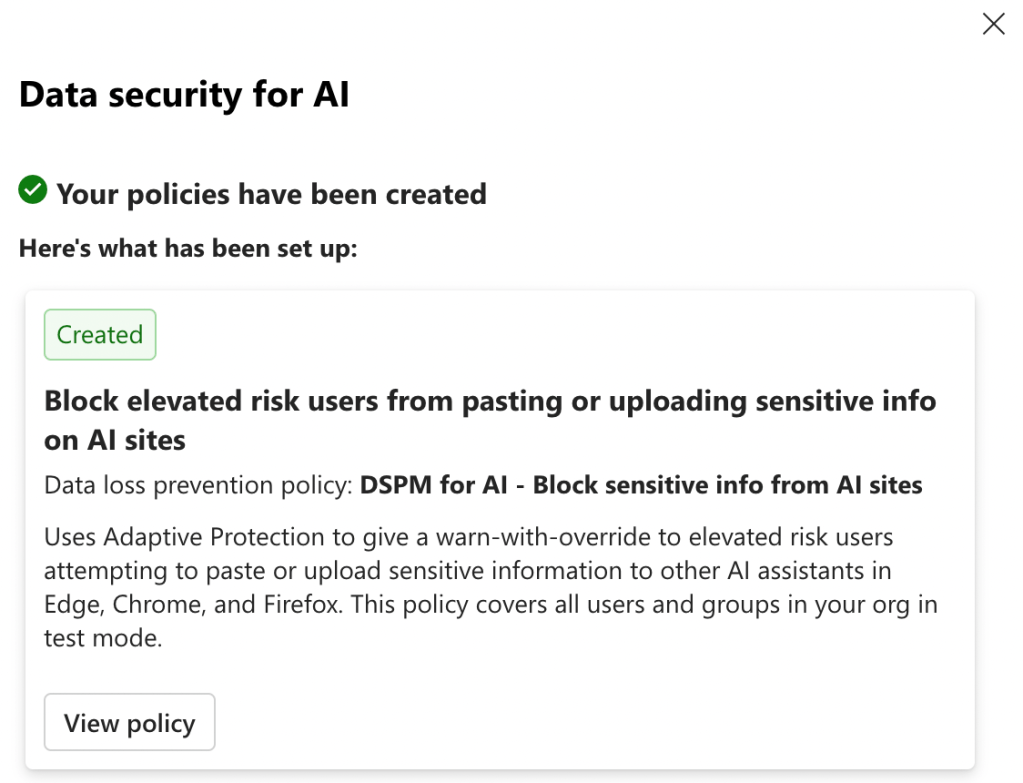
In order to enforce protections, administrators must edit the policy mode to “Turn the policy on immediately”. However, this should only be done once appropriate organizational change management efforts have been undertaken to ensure that users are prepared to adopt this change.
Policy recommendation #2 configures Microsoft’s default sensitivity labels, only if your organization does not yet have sensitivity labels deployed. The default sensitivity labels that are configured include:
- Personal
- Public
- General
- General / Anyone
- General / All Employees
- Confidential
- Confidential / Anyone
- Confidential / All Employees
- Confidential / Trusted People
- Highly Confidential
- Highly Confidential / All Employees
- Highly Confidential / Specific People
As explained in the screenshot below, this recommendation also configures auto-labeling and publishing policies to support widespread labeling of organizational data. To learn more about the sensitivity labels, publishing policy, and auto-labeling policies that are created by default by Microsoft, refer to the following Microsoft Learn article: Default sensitivity labels and policies to protect your data.
In my tenant, I had pre-existing sensitivity labels, publishing policies, and auto-labeling policies deployed. For this reason, DSPM for AI automatically marked the “Protect your data with sensitivity labels” as complete.
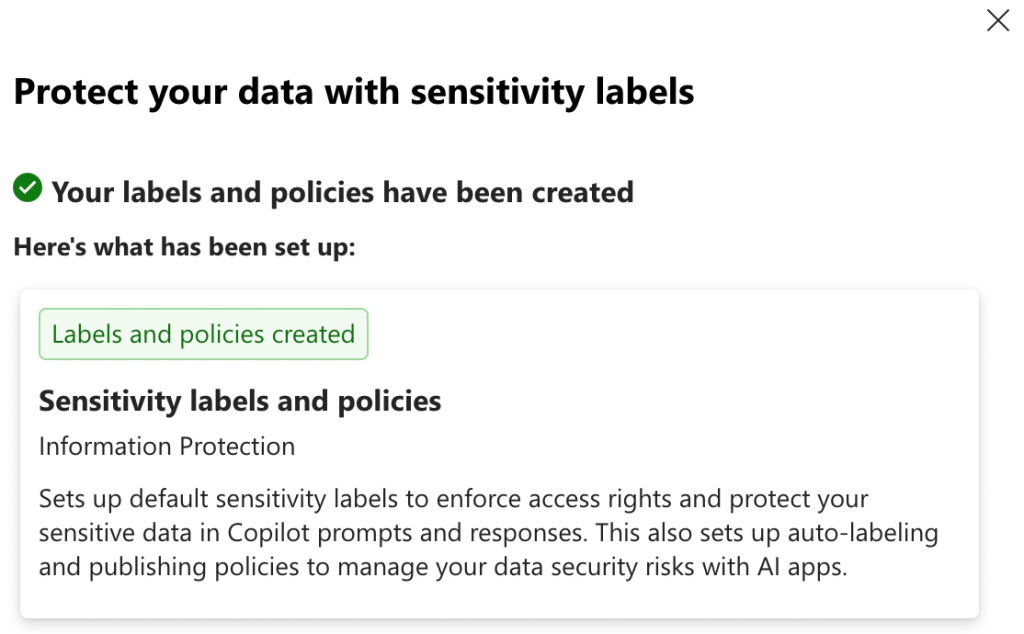
As with all technology changes that impact users, it is very important to undergo sufficient organizational change management and follow a phased deployment approach to support users in effectively adopting sensitivity labels in their day-to-day work.
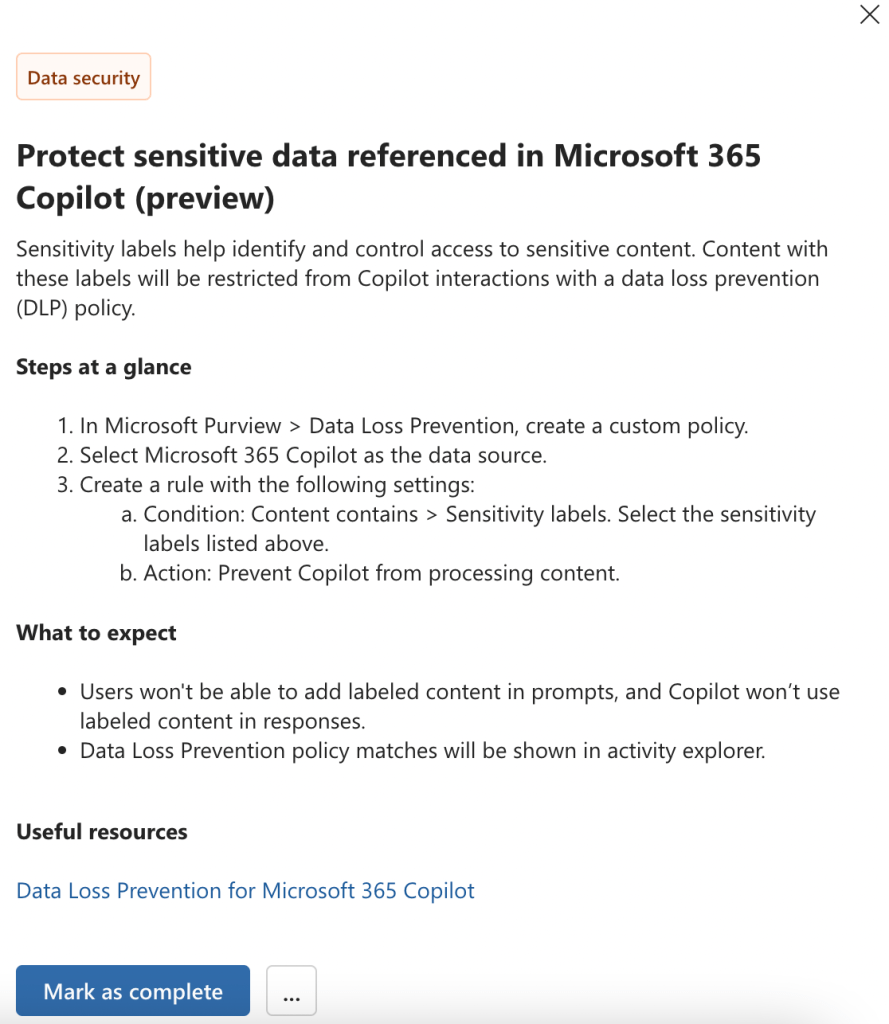
Policy recommendation #3 is different from the other policy-based recommendations reviewed above in that it is not a one-click policy. Instead, DSPM for AI provides step-by-step guidance on creating the recommended Data Loss Prevention policy, and administrators can mark it as complete after configuration.
Process Recommendations
On top of the policy-based data security recommendations, DSPM for AI also provides process-based suggestions for improving data security.
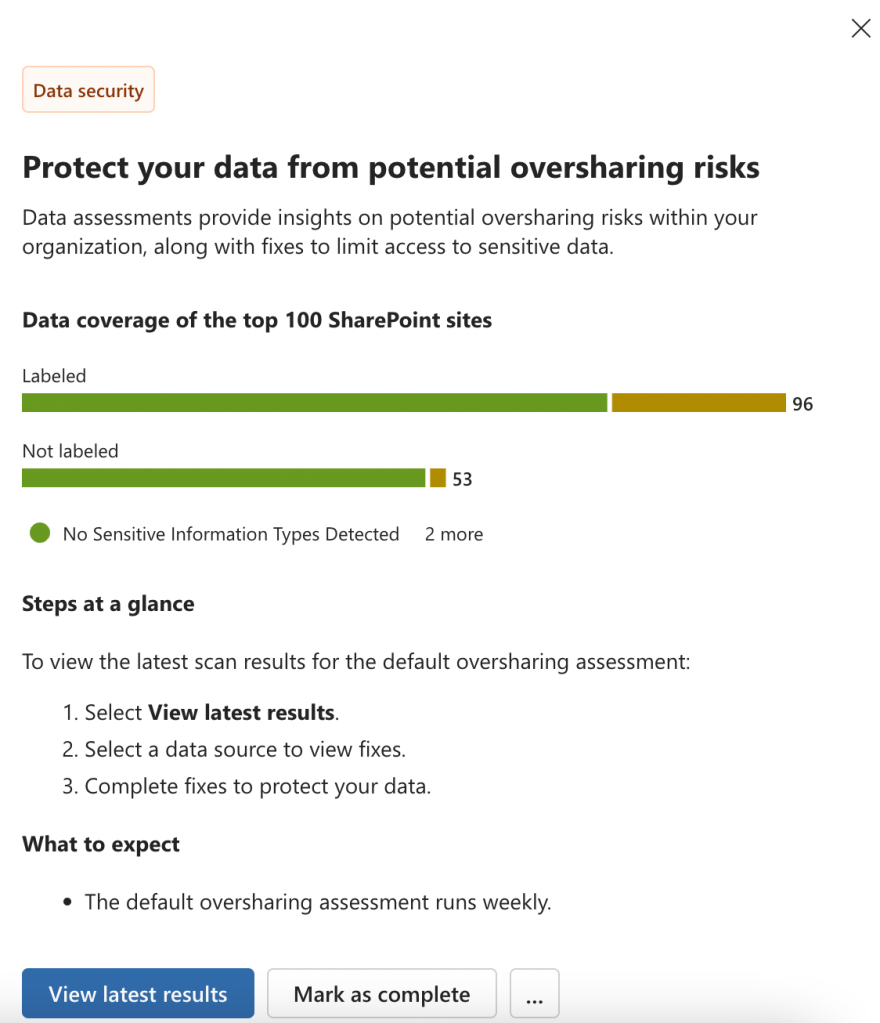
For instance, the “Protect your data from potential oversharing risks” recommendation guides administrators to view the results of the default DSPM for AI data assessment targeting the top 100 SharePoint sites in your organization every week.
Hybrid Recommendations
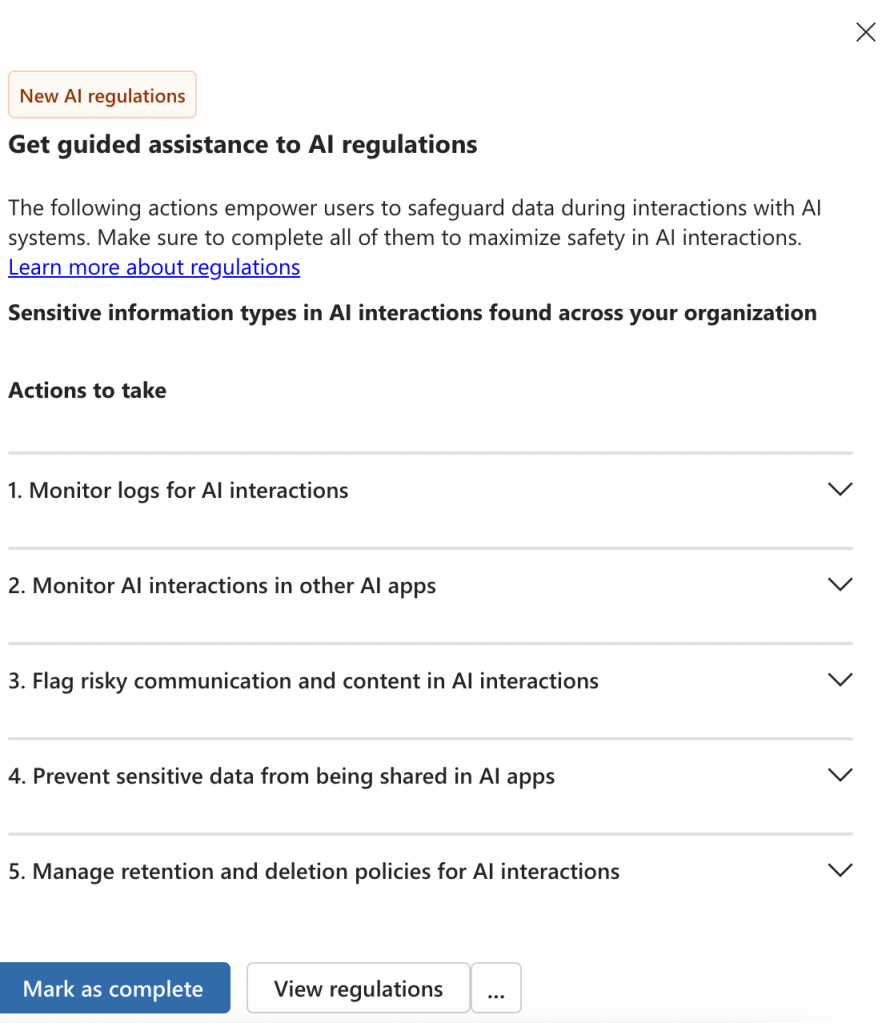
Recommendations such as “Get guided assistance to AI regulations” are a mix of policy and process-based implementation steps. As shown below, this recommendation directs administrators to monitor relevant logs as well as create protective policies to comply with AI regulations.
DSPM for AI Policies
The DSPM for AI policies page provides an overview of the AI-related policies created across Microsoft Purview. This includes DSPM for AI one-click policies as well as custom policies. It is important to note that this page does not support creating new policies.
To reiterate, there is no such thing as a “DSPM for AI policy”. Instead, the policies page summarizes both policy types described below:
- DSPM for AI one-click policies
- AI-related policies created across different Purview solutions
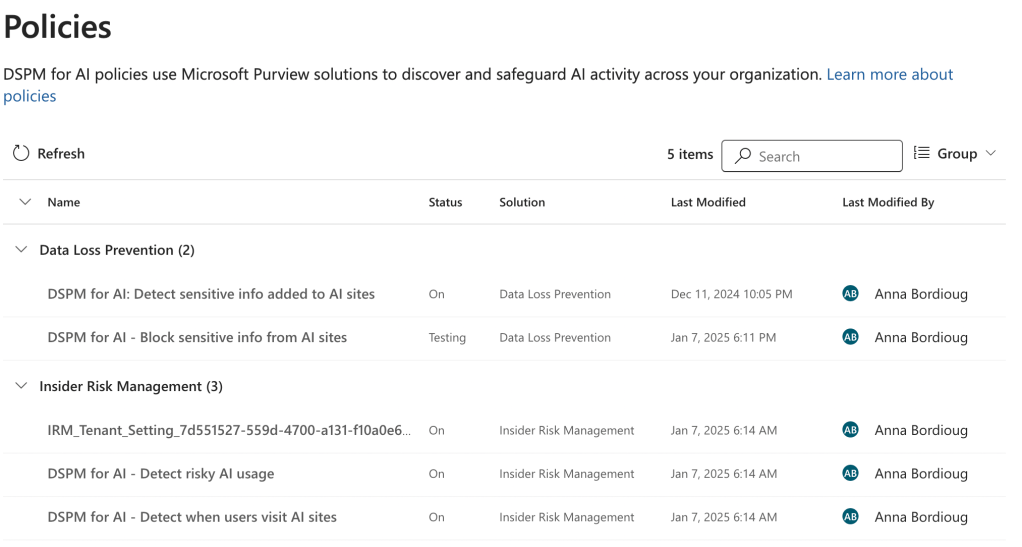
For each policy, a summary of the configurations is provided on the Policies page. Administrators can also click on “Edit policy in solution” to navigate to the appropriate Purview solution.
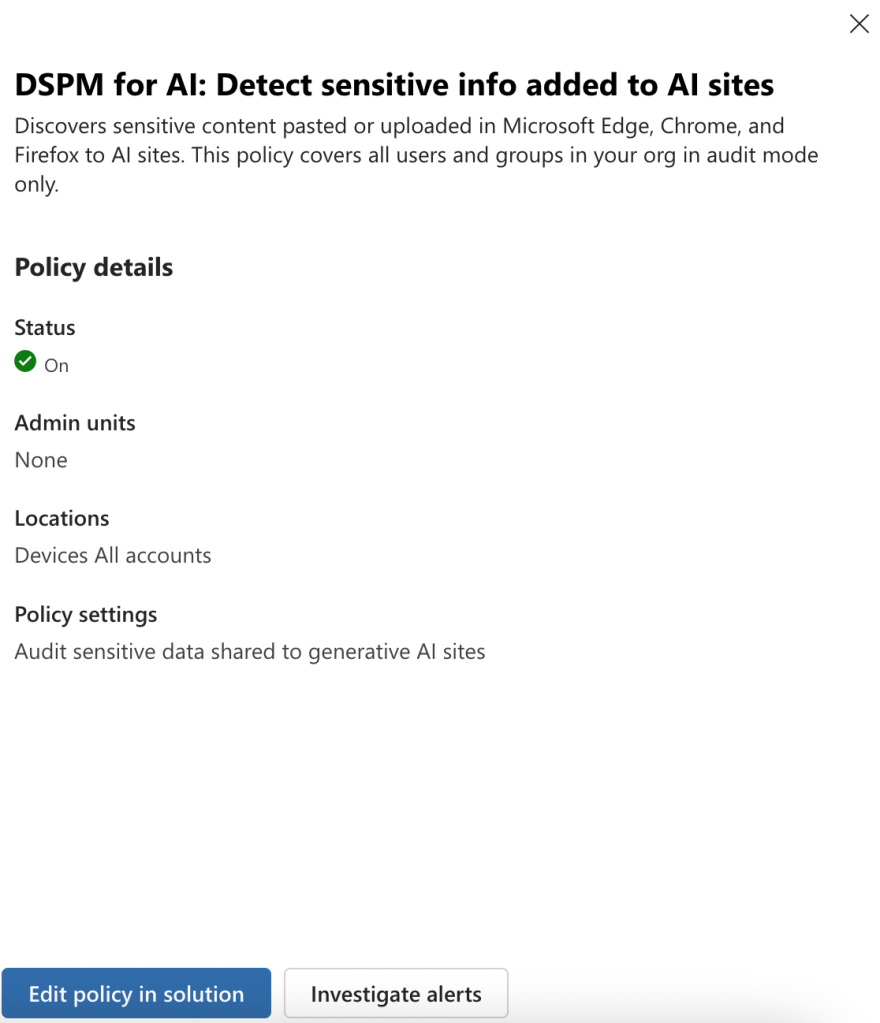
In this way, administrators can quickly understand the data discovery and security policies targeting AI interactions that are deployed across Microsoft Purview in their organization.
Closing Thoughts
DSPM for AI supports organizations in safeguarding AI activity with tailored recommendations and policy summaries. In my next blog, I’ll discuss how organizations can understand and remediate oversharing risks by leveraging DSPM for AI data assessments. Stay tuned!
 Anna Bordioug